Sending your invoices to a specific email address
Many finance teams want Lano invoices delivered straight to a dedicated inbox - invoices@yourcompany.com, an accounting tool's ingestion address, or several colleagues at once. Here's how invoice delivery works and how to set this up in about two minutes.
How invoice notifications work
Invoice notifications, with the invoice attached, are sent automatically to every user on your account with the Admin or Finance role. There is no separate "invoice email" field - the recipient list is your Admin and Finance user list. This is also why our team can't simply add an address for you: for compliance reasons, who receives your company's financial documents is controlled by you, through your own user management.
This design has a convenient side effect: adding, changing, or removing invoice recipients never requires contacting support.
To send invoices to a specific address
Log in to Lano and go to Settings → Users.
Click Invite User.
Enter the name and the email address that should receive invoices - this can be a shared mailbox (e.g. invoices@yourcompany.com); it doesn't have to belong to a person.
Choose the role: Finance is the right role for invoice access without broader admin rights; Admin also receives invoices.
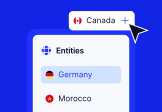
Select the entities the user should have access to - they'll receive invoices for those entities.
Click Send Invite. Once the user is created, the address is automatically included in all future invoice notifications.
Want several people to receive invoices? Repeat for each - every Admin and Finance user receives them. There's no limit that matters in practice.
Want someone to stop receiving invoices? Remove their user (Settings → Users) or change their role - same principle, controlled by you.
Three things worth knowing
Shared mailboxes work, with one caveat: the invite email goes to that address and someone must complete the account activation once. If your shared mailbox can't receive our emails (see Didn't receive your login code?), contact us and we'll check the delivery log.
This applies to Payroll and EOR invoices alike - one process for both.
Past invoices aren't re-sent to new users automatically, but every issued invoice can be viewed and downloaded any time under Invoices in the platform - so a new finance user has the full history from day one.
Payment reminders are handled separately by our billing team - if reminder emails should go to a different address than invoices, tell billing@lano.io and we'll adjust that on our side.
Was this answer helpful to you?












© Lano Software GmbH 2026